


Are you looking for the best Instagram WordPress plugins? Yes? Here are some of the best WordPress plugins to showcase Instagram feeds on your website.
Instagram isn’t a simple social media platform anymore—it’s a digital storefront, a portfolio, a community hub, and for many businesses, a primary traffic source.
If you’re not integrating Instagram with your WordPress website, you’re missing out on engagement and conversions. For this reason, we recommend integrating Instagram with your website to get the most traffic and reach.
WordPress Instagram plugins make it incredibly easy to display Instagram feeds, highlight user-generated content, promote products, and reinforce social proof—all without touching a single line of code.
Not all WordPress Instagram plugins are suitable for your website. We’ve learned that some plugins can be tricky to set up, others might slow down your site, and a few may lack the features you need.
In this article, we’ll share some of the best Instagram WordPress plugins, each offering specialized services.
Table of Contents
Why Use an Instagram Plugin for WordPress?
Instagram is one of the most popular social media platforms with over 2 billion active monthly users. This makes it a great place to promote your products, services, and websites.
Generally, an Instagram plugin allows you to display Instagram content on your website. However, modern plugins offer advanced features that unlock many benefits.
Here are some of the best benefits of using an Instagram plugin:
- Trust Building: An Instagram plugin can display your Instagram feed live, which tells visitors that your brand is real, active, and has a community.
- User-Generated Content (UGC): Many plugins allow you to display posts from your customers using a specific hashtag. It increases your brand value as visitors can see real people using your products.
- Fresh Content: An Instagram plugin keeps your content fresh by pulling in new content every time you post on social media.
- Improves SEO: Search engines love websites that are updated frequently. The constant stream of new images and captions provides fresh “crawlable” content for search engines. Moreover, interactive elements like carousels or “Load More” buttons encourage users to stay and explore rather than leaving immediately.
- Drives Sales and Conversions: Advanced plugins allow you to link specific Instagram posts directly to product pages on your site.
Overall, an Instagram plugin can help you grow your Instagram following and boost engagement on your photos and videos.
Key Features to Look for in an Instagram WordPress Plugin
Choosing the right Instagram WordPress plugin depends on whether you are simply displaying Instagram content or running an e-commerce website.
Here are the key features to prioritize, categorized by their impact on your site.
1. Design & Visual Customization
- Multiple Layout Options: The plugin should offer various layout options, including Grid, Masonry, Carousel (Slider), and Highlight layouts. It enables you to fit the feed into various areas, such as sidebars, footers, or full-width pages.
- Customization: The plugin should allow you to tweak layouts so that your Instagram feeds blend perfectly with your website design.
- Visual Curation: The ability to hide or highlight specific posts. It’s essential if you want to filter out low-quality images or focus on specific products.
2. Ease of Use & Compliance
- Ease of Use: It’s the most essential feature of a good Instagram WordPress plugin. The plugins should be easy to set up and navigate. Look for native blocks for the WordPress editor or specific widgets for builders like Elementor and Divi.
- GDPR Compliance: Privacy is important. Therefore, the plugin should have a “GDPR mode” that prevents Instagram from tracking your visitors until they interact with the feed.
3. Advanced Feed Types
- Hashtag & Tagged Feeds: This feature is useful for displaying User-Generated Content (UGC). You can pull in photos where customers have tagged your brand.
- Reels & Stories Support: A modern plugin should be able to display “Instagram Reels” and even active “Stories” in a lightbox popup.
4. Engagement & eCommerce
- Shoppable Feeds: It’s essential for an e-commerce site to link specific Instagram posts to product pages.
- Lightboxes: When a photo is clicked, a lightbox pop-up appears, which allows users to view the full image/video and read captions without leaving your website.
- Follow & Load More Buttons: Clear Call to Action (CTAs) that help grow your Instagram directly from your website.
5. Performance & Reliability
- Caching & Backup: The plugin should store Instagram data locally. It ensures your Instagram content appears even if Instagram’s API goes down.
- Image Optimization: The plugin should support Lazy Loading and WebP formats for maintaining fast page speeds.
- API Stability: Ensure the plugin is from a developer who is an “Official Instagram Partner.” It makes sure the connection won’t randomly disconnect.
These are the key features to look for in an Instagram WordPress plugin. However, all of these features don’t need to be included in a plugin.
The Best Instagram WordPress Plugins (Compared)
| Plugin | Pricing | Best For |
|---|---|---|
| Instagram Feed Pro by Smash Balloon | Free + Premium (starts from $49/yr) | Creating professional Instagram feeds with multiple layouts |
| Envira Gallery | Free + Premium (starts from $39.50/yr) | Creating galleries with the Instagram add-on |
| RafflePress | Free + Premium (starts from $39.50/yr) | Running giveaways and contests with Instagram integration |
| Uncanny Automator | Free + Premium (starts from $149/yr) | Automatic Instagram workflows |
| Soliloquy | Free + Premium (starts from $39/yr) | Creating sliders with a dynamic add-on |
| Spotlight Social Feeds | Free | Unlimited Instagram feeds |
| Social Feed Gallery | Free | Creating Instagram feeds for free |
1. Instagram Feed Pro by Smash Balloon

Instagram Feed Pro, developed by Smash Balloon, is the most popular and powerful Instagram feed plugin on the market. It’s designed to display customizable Instagram feeds on your website.
The Instagram Feed Pro plugin allows you to display photos, videos, and stories from your Instagram account directly on your website.
Key Features:
- Multiple Feed Types: You can display feeds from your Instagram account, specific hashtags, or posts where your account has been tagged.
- Layout Options: It offers four built-in layout options, such as Grid, Masonry, Carousel (Slider), and Highlight.
- Shoppable Feeds: You can link Instagram posts directly to product pages on your site. Turn your Instagram posts into sales funnels.
- Advanced Feed Customization: You can choose what’s displayed in your feeds, with tons of easy built-in customization options.
- Stories & Reels Support: You can display Instagram Stories in a header and play Reels directly in a pop-up lightbox.
- Smart Caching & Page Speed Optimized: Post caching system intelligently caches different parts of your feed to minimize Instagram requests and help your content to load lightning fast.
- GDPR Compliance: It automatically integrates with many of the most popular GDPR consent plugins.
| Pricing: Free + Premium (starts from $49/yr) |
| Pros: Easy to use, multiple feed layouts, speed optimized, and an intelligent caching system |
| Cons: Advanced features require the pro version |
| Why We Recommend Instagram Feed Pro: It’s the most reliable and feature-rich WordPress plugin to display your Instagram feed on your website. |
2. Envira Gallery

Envira Gallery is one of the most powerful, user-friendly, and performance-optimized photo gallery plugins for WordPress. It’s designed for photographers, designers, and bloggers who need professional-grade galleries without writing a single line of code.
The Envira Gallery plugin automatically imports images from your Instagram account, eliminating the need for manual uploading.
Key Features:
- Drag-and-Drop Builder: You can easily upload, rearrange, customize, and remove images at any time.
- Pre-Built Templates: It offers various layouts like Masonry, Grid, Polaroid, and Mosaic to instantly style your gallery.
- Video Galleries: You can create video galleries by adding videos from YouTube, Vimeo, and Wistia, or display your own self-hosted videos.
- Import from Instagram: You can automatically import images from your Instagram account to display on Envira Gallery.
- Image Compression: It allows your gallery to load fast, which plays a crucial role in search engine rankings.
- Watermarking & Protection: Your images will be protected with fully customizable text or image-based watermarks. Moreover, it disables “right-click” to prevent image theft.
- SEO Friendly: You can add Alt tags, deep links, and pagination to ensure your images are discoverable by search engines.
| Pricing: Free + Premium (starts from $39.50/yr) |
| Pros: User-friendly interface, blazing fast, drag-and-drop builder, Instagram add-on, and SEO friendly |
| Cons: Limited free version, and advanced features require paid add-ons |
| Why We Recommend Envira Gallery: It’s the most popular and powerful WordPress plugin to create galleries on your website. Plus, its Instagram add-on makes it easy to import and display Instagram photos. |
3. RafflePress

RafflePress is considered to be the best WordPress giveaway and contest plugin. You can use it to run Instagram-integrated giveaways and contests.
The main purpose of this plugin is to help users grow their email lists, social media following, and website traffic using “viral” giveaways.
This plugin is designed to be a “plug-and-play” solution, meaning you don’t need coding skills to launch a contest.
Key Features:
- Drag-and-Drop Giveaway Builder: Lets you to add prizes, images, and entry methods by simply dragging them into place.
- Viral Giveaway Templates: It offers goal-based templates that come with pre-selected entry actions.
- Viral Sharing (Refer-a-Friend): It rewards users with extra contest entries for sharing the giveaway on social media or via email.
- Social Media Integrations: Helps you grow your following on Facebook, Instagram, YouTube, Twitter, and more.
- Fraud Protection: Built-in features like invisible reCAPTCHA and email verification to filter out bots and spam entries.
| Pricing: Free + Premium (starts from $39.50/yr) |
| Pros: Drag-and-drop builder, pre-made templates, Instagram integrations, and mobile-friendly |
| Cons: Advanced features require paid plans |
| Why We Recommend RafflePress: It’s the most powerful and feature-rich WordPress plugin for giveaways and contests. Additionally, it enables you to run Instagram contests and integrate Instagram-specific actions. |
4. Uncanny Automator

Uncanny Automator is a powerful WordPress automation plugin that lets you automate workflows with Instagram—no code required. It’s often described as “Zapier for WordPress” because it allows you to create automated workflows.
You can set up automatic Instagram-specific actions, such as sharing a new photo on Instagram whenever you publish a blog post.
Key Features:
- Simple Recipe Builder: A visual interface where you select triggers and actions.
- Connect to Anything: Works with nearly all major WordPress plugins (WooCommerce, LearnDash, Elementor, Gravity Forms), social media apps (Facebook, X, Instagram), and web tools (Google Sheets, Slack, Mailchimp, OpenAI).
- Easy Dynamic Content: Use data from users, form submissions, courses, and anything else in your recipes.
- Delays & Scheduling (Pro): Schedule actions to happen hours or days after a trigger.
- Unlimited Usage: Set up as many recipes as you want and run them an unlimited number of times.
| Pricing: Free + Premium (starts from $149/yr) |
| Pros: Cost-efficient, simple recipe builder, massive library, and performance |
| Cons: Limited free features and a learning curve for beginners |
| Why We Recommend Uncanny Automator: It makes Instagram integration easy with no coding. Plus, the free version works well for smaller websites. |
5. Soliloquy
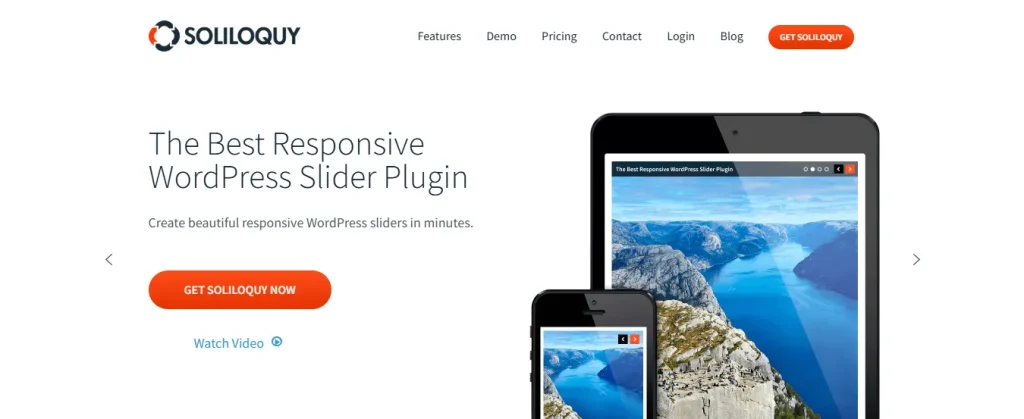
Soliloquy is a popular WordPress slider plugin that makes it easy to create photo and video sliders displaying Instagram content on your website.
It’s known for its speed and SEO friendliness. Unlike its competitors that add heavy code, it uses a hybrid technique called asynchronous Ajax preloading, which ensures your page loads quickly even with multiple high-resolution images.
Key Features:
- Drag & Drop Builder: Easily create photo and video sliders in seconds.
- Responsive Mobile Friendly: Sliders automatically adjust to look great on phones, tablets, and desktops.
- Slider Templates: It offers pre-made templates to customize sliders without CSS knowledge.
- FullScreen Lightbox: Enable slideshow display in a full-screen lightbox mode for a better user experience.
- Dynamic Sliders: Create dynamic sliders from Featured blog posts, Instagram images, Testimonials, and more.
| Pricing: Free + Premium (starts from $39/yr) |
| Pros: Ease of use, speed optimized, SEO friendly, and dynamic slider add-on |
| Cons: Limited free features and add-on fatigue |
| Why We Recommend Soliloquy: Its user-friendly interface makes it easy to create photo and video sliders within seconds. |
6. Spotlight Social Feeds

Spotlight Social Feeds is a free WordPress plugin to embed Instagram feeds anywhere on your website. The setup process is very straightforward: choose a beautifully designed template, connect your Instagram account, and customize unlimited galleries to display across your website.
Key Features:
- Unlimited Accounts and Feeds: You can connect unlimited Instagram accounts and feeds anywhere on your website.
- Media Supports: You can add photos, videos, reels, and gallery posts.
- Pre-designed Templates: You can use its pre-designed templates to launch your Instagram feed instantly.
- Filtering: Order your Instagram posts by date, popularity, or at random.
- Lightbox: A pop-up lightbox to show larger photos, reels, and videos.
| Pricing: Free |
| Pros: Ease to use, unlimited feeds, customizable, SEO friendly, and responsive |
| Cons: Lacks advanced features |
| Why We Recommend Spotlight Social Feeds: It’s a free WordPress plugin to embed unlimited Instagram feeds on your website. |
7. Social Feed Gallery
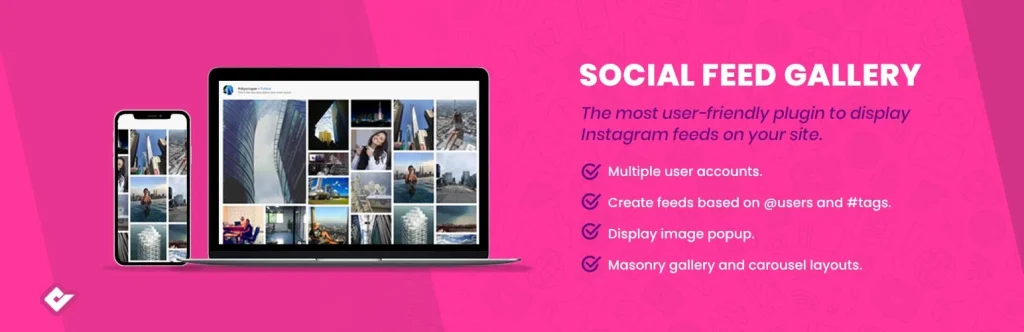
Social Feed Gallery is another WordPress plugin to embed Instagram feeds on your website. Its Elementor block lets you drag & drop any of your feeds into pages or templates without shortcodes.
It supports Instagram reels, tagged posts, comments, and even business account features like stories.
Key Features:
- Versatile Instagram Layouts: Choose from gallery, carousel, masonry, and highlight modes to fit your design.
- Gutenberg and Elementor Block: Insert and style your feeds visually inside the Gutenberg and Elementor editor.
- Automatic Updates: Keep your site updated with the latest Instagram content.
- Supports Instagram Stories and Tagged: Display business account stories directly on your site. Plus, show images where your Instagram account has been tagged.
| Pricing: Free |
| Pros: User-friendly, Elementor block included, versatile layouts, and multiple customization options |
| Cons: Advanced features require premium plans |
| Why We Recommend Social Feed Gallery: It’s a free WordPress plugin to embed unlimited Instagram feeds on your website. |
FAQs About Instagram WordPress Plugins
Here are some of the common questions people often ask about Instagram WordPress plugins.
Which is the best Instagram WordPress plugin?
Instagram Feed Pro by Smash Balloon is the best Instagram WordPress plugin to create professional Instagram feeds with multiple layouts. It’s known for its reliability, speed, and deep customization options.
Envira Gallery is a great option if you want to create galleries with your Instagram photos.
Do I need a business Instagram account to use these plugins?
An Instagram business account turns your profile from a simple social gallery into a professional marketing platform. It provides a suite of tools designed to help you grow your brand, understand your audience, and drive sales.
Connecting your business account will unlock the full power of Instagram WordPress plugins. You can easily switch to a business account in the Instagram app settings.
Will these plugins slow down my WordPress site?
Reputable WordPress plugins are speed optimized, meaning they won’t slow down your website. Instagram Feed Pro by Smash Balloon is known for its lightweight.
Final Thoughts
Instagram WordPress plugins make it easy to display Instagram feeds on your website—without writing a single line of code.
Instagram Feed Pro by Smash Balloon is considered to be the best WordPress plugin to add Instagram feeds. However, you can consider using Envira Gallery if you want to create galleries with Instagram photos.
Recommended Articles: