


Are you looking for the best WordPress redirect plugins? Yes? Here are some of the best redirect plugins for WordPress, picked by experts.
Sometimes we need to change a page’s URL, delete an old post, or move a website to a new domain name. It’s a part of website management.
When you change a page’s URL, it leads to 404 errors that frustrate your visitors and hurt your site’s SEO. Definitely, you’re losing your potential website traffic.
Whether you’re running a small blog or a large site, WordPress redirect plugins can help you fix broken links and protect your SEO without writing any code.
In this article, we’ve compiled a list of the best WordPress redirect plugins to manage transitions smoothly, SEO-friendly, and stress-free.
Table of Contents
What Are Redirects in WordPress?
In the simplest terms, a redirect is a process to send both users and search engines to a different URL than the one they originally requested.
When you delete a post or change its URL, the old address will start showing a 404 error page. For this reason, you will miss out on the traffic and SEO rankings you were getting for that page.
Redirects can fix this issue by sending users to new or similar content on your website. This helps you preserve your SEO rankings while offering a better experience for your visitors.
Here are two main benefits of redirects:
- User Experience (UX): Your users don’t want to end up on a 404 error page. Redirects help your users to land in their desired destinations.
- SEO (Search Engine Optimization): When you move a page to a new URL, you don’t want to lose the ranking power that the old page built up. A redirect tells Google or other search engines, “Hey, this page moved, please give the credit to the new one.”
- Managing Affiliate Links: Redirect plugins can redirect your affiliate links to the correct product.
- Preserving Social Media Shares: If you shared a post on social media platforms and later changed its URL, redirects ensure that when someone clicks the shared link, they land on the updated page, not an error.
Basically, redirect plugins help you manage your website links effortlessly.
What Are the Different Types of Redirects?
There are different types of redirects that you can set up, but each has a distinct meaning for search engines.
Here are some of the common types of redirects used by WordPress websites:
- 301 (Permanent Redirects): It’s the most common type. You can use this if you are never moving the content back. It passes 90-99% of SEO ranking power.
- 302 (Temporary Redirects): This redirect is useful if you’re briefly moving a page (e.g., during site maintenance or A/B testing) and will bring back the old URL.
- 304 (Cached Not-Modified Redirects): Use this if you want to avoid unnecessary data transfer, enhancing efficiency and reducing server load.
WordPress redirect plugins can help you set up all of these redirects effortlessly.
Key Features to Look for in a WordPress Redirect Plugin
The best WordPress redirect plugins have transformed from basic “link swappers” into comprehensive management tools that manage everything from automatic error monitoring to optimization of server performance.
Here are some of the key features to look for in a WordPress redirect plugin:
- Essential Redirection Types: A redirect plugin should be compatible with the standard HTTP status codes used in the industry, including 301 (Permanent), 302/307 (Temporary), and 410 (Gone).
- Automated URL Monitoring: If you modify the “slug” or URL of a post or page, the plugin should recognize that modification and automatically establish a 301 redirect from the previous URL to the new one.
- 404 Error Tracking & Logging: A good redirect plugin keeps an eye on your site for 404 (Page Not Found) errors. It lets you see exactly which URLs are causing the problem and even shows who—or which bot—is trying to access those broken links.
- Bulk Management & Import/Export: The plugin should allow CSV import and export, making it easy to handle large numbers of redirects. You can simply organize hundreds of redirects in a spreadsheet and upload them all in one go.
- Performance: The plugin should be efficient and lightweight to keep your database clean and your admin dashboard running smoothly.
These are some of the key features to look for in a WordPress redirect plugin.
The Best WordPress Redirect Plugins (Compared)
| Plugin | Pricing | Best For |
|---|---|---|
| AIOSEO | Pro ($199.50/yr) | SEO Solution + Redirect Manager |
| Rank Math | Premium (starts from $7.99/mo) | Affordable SEO Solution + Redirection |
| SeedProd | Free + Premium (starts from $39.50/mo) | Custom 404 Error Page |
| Redirection | Free | Free Redirect Manager |
| ThirstyAffiliates | Free + Premium (starts from $99.60/yr) | Affiliate Links Management |
| Simple 301 Redirects | Free | 301 Redirects |
| 301 Redirects | Free + Premium (starts from $49/yr) | Beginner-Friendly Redirect Manager |
1. All In One SEO (AIOSEO)

All In One SEO (AIOSEO) is a widely used SEO plugin for WordPress that includes a built-in Redirection Manager to help with important technical SEO tasks, such as fixing broken links and handling site migrations.
The tool makes creating redirects quick and simple, automatically detecting issues and setting up redirects so your visitors and traffic keep flowing smoothly.
Key Features:
- Smart Redirect Creation: You can quickly set up any kind of redirect—whether it’s 301, 302, 307, or others—thanks to its simple and easy-to-use interface.
- Automatic 404 Detection: The system keeps an eye on your website around the clock, checking for any broken URLs. If it finds a broken link, it quickly detects and fixes it so your SEO performance stays unaffected.
- Bulk Redirect Tools: This plugin can handle large-scale URL updates, making it especially helpful if you ever switch to a new domain.
- Full Redirect Logs: You can monitor how each redirect performs with detailed logs that show the number of hits, the user agents used, and where the traffic is coming from.
- Smart Matching Rules: It comes with powerful regex and wildcard matching, making it easy to manage even complex redirect situations.
- Automatic Content Protection: When you delete or move content, it automatically suggests redirects so visitors don’t run into “Page Not Found” errors, and your SEO value stays intact.
| Pricing: Pro ($199.50/yr) |
| Pros: Automatic permalink tracking, 404 error monitoring, full-site redirects, and a user-friendly interface |
| Cons: Redirection Manager is a paid feature |
| Why We Recommend AIOSEO: It offers a complete SEO solution with redirect features, making it a great choice for users who need a comprehensive tool. |
2. Rank Math

Rank Math is one of the most popular SEO plugins for WordPress. Its Redirection module is widely considered one of the most robust “all-in-one” redirection tools available for WordPress.
Unlike standalone plugins, it directly integrates with your SEO workflow, allowing you to manage 404 errors and link changes without leaving the SEO suite.
Key Features:
- Supported Redirect Types: 301 (Permanent), 302/307 (Temporary), 410 (Content Deleted), and 451 (Legal Removal).
- Match Types: Exact match, Contains, Starts With, Ends With, and Regular Expressions (Regex).
- Auto-Post Redirect: It automatically creates a 301 redirect whenever you change a post or page slug.
- 404 Monitor: Tracks every time a user hits a dead link and lets you fix it with one click.
| Pricing: Premium (starts from $7.99/mo) |
| Pros: Speed optimized, seamless 404 integration, easy migration, and advanced match logic |
| Cons: The redirection feature is in the paid plan and no conditional logic |
| Why We Recommend Rank Math: It’s an all-in-one SEO solution that has built-in features for redirection. |
3. SeedProd

SeedProd is a powerful and popular WordPress landing page builder. While it originally gained fame for Coming Soon and Maintenance Mode pages, it has evolved into a comprehensive “no-code” theme builder.
It allows you to design entire websites without writing a single line of CSS or HTML, including 404 error pages. While it doesn’t offer many redirection features, it does allow you to create beautiful 404 pages for your website.
Key Features:
- Drag-and-Drop Page Builder: It offers a visual editor to design pages in real-time. It’s designed to be significantly lighter and faster than many other page builders, such as Elementor or Divi.
- 300+ Professionally Designed Templates: It includes high-converting templates for sales pages, opt-in pages, webinars, thank-you pages, and even full website “kits.”
- Built-in Page Modes: You can toggle Coming Soon, Maintenance Mode, 404 Error, and Custom Login pages with a single click.
- Theme Builder: Design custom headers, footers, single post templates, and archive pages, essentially replacing the need for a traditional WordPress theme.
| Pricing: Free + Premium (starts from $39.50/mo) |
| Pros: Speed optimized, user-friendly, theme builder, and 404 error pages |
| Cons: Limited free version and basic redirection features |
| Why We Recommend SeedProd: It is a page builder plugin to create custom 404 error pages with drag-and-drop capabilities. |
4. Redirection

Redirection by John Godley is a popular and free WordPress redirect manager. It allows you to manage 301 (permanent) redirections and keep track of 404 (not found) errors.
It is a useful WordPress plugin when you are migrating a site, changing your permalink structure, or deleting old content.
Key Features:
- Redirect Management: You can easily create and manage 301, 302, 303, and 307 redirects. You can also use Regular Expressions (Regex) to match and redirect patterns of URLs.
- 404 Error Monitoring: It automatically logs 404 errors on your site—helping you identify broken links so you can fix them before they hurt your SEO.
- Automatic Redirects: It automatically creates a 301 redirect when you change a post or page’s URL.
- Conditional Redirects: You can trigger redirects based on specific conditions:
- Login Status
- Browser/User Agent
- Referrer
- IP Address
- Import & Export: Move your redirects between sites using JSON, CSV, or export them for use in Apache (.htaccess) or Nginx configuration files.
| Pricing: Free |
| Pros: Easy to use, automation, reliability, and 100% free |
| Cons: Limited to basic features and not suitable for large sites |
| Why We Recommend Redirection: It is a reliable and free WordPress option for basic redirect needs. |
5. ThirstyAffiliates

ThirstyAffiliates is a popular and powerful WordPress plugin designed for affiliate marketers to manage, cloak, and track their referral links.
It allows you to create branded “pretty” links instead of dealing with long, ugly URLs provided by affiliate networks. One of its standout features is ease of use when setting up affiliate link redirects.
Key Features:
- Link Cloaking: Turns complex tracking URLs into clean, branded links.
- Categorization: Organize links into categories (e.g., “Software,” “Hosting,” “Amazon”) for easier management.
- Click Tracking: Basic statistics to see how many people are clicking your links.
- Geolocation (Pro): You can redirect users to different URLs based on their country (essential for international Amazon Associates).
- Automatic 404 Checker: Scans for broken affiliate links so you don’t lose commissions to dead pages.
| Pricing: Free + Premium (starts from $99.60/yr) |
| Pros: Ease of use, SEO-friendly, lightweight, and affiliate link management |
| Cons: The pro version is expensive and requires configuration for optimal use |
| Why We Recommend ThirstyAffiliates: It is designed for affiliate marketers to manage and monitor affiliate links effectively. |
6. Simple 301 Redirects
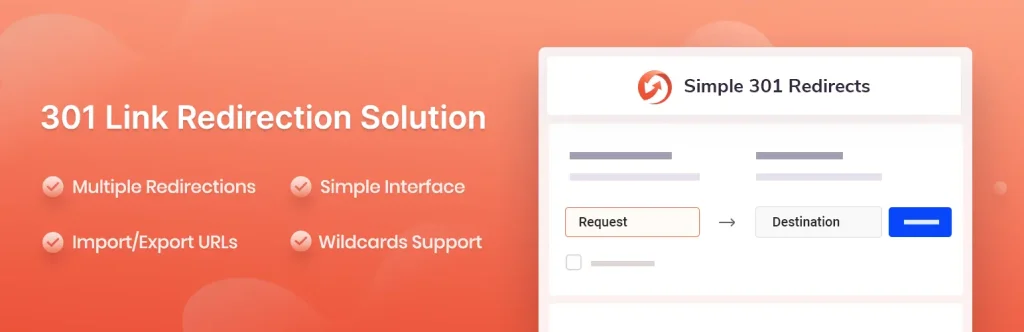
As the name suggests, Simple 301 Redirects is a lightweight WordPress plugin designed to manage permanent (301) URL redirections.
It only allows you to set 301 redirects. It provides a straightforward way to tell search engines and visitors that a page has moved permanently to a new location.
Key Features:
- Simple Interface: It provides a straightforward interface to enter the old URL (Request) and the new URL (Destination) into two boxes.
- Wildcard Support: It’s a standout feature for a basic tool. By using an asterisk (
*), you can redirect entire directories. - Bulk Import and Export: You can manage large numbers of redirects by importing a CSV or JSON file. It’s far better than entering links one by one.
| Pricing: Free |
| Pros: Beginner-friendly, lightweight, completely free, and wildcard power |
| Cons: Limited redirect types and no 404 monitoring |
| Why We Recommend Simple 301 Redirects: It is designed to set 301 redirects with simplicity and efficiency. |
7. 301 Redirects

301 Redirects is another WordPress redirect manager plugin that comes with a simple interface to add your redirects. You can easily choose your redirect type and add it.
Key Features:
- Multiple Redirect Types: It supports 301 (Permanent), 302 (Found/Temporary), and 307 (Temporary) redirects.
- Beginner-Friendly Interface: It offers a simple interface where you select the “Request URL” and the “Destination URL” from a dropdown list of your existing pages, posts, and archives.
- 404 Error Log: Tracks every time a user hits a broken link on your site. It allows you to see exactly which URLs need a redirect.
- Bulk Import/Export: Manage hundreds of redirects at once by uploading a CSV file—a lifesaver during site migrations.
| Pricing: Free + Premium (starts from $49/yr) |
| Pros: Beginner-friendly, lightweight, completely free, and fast set up |
| Cons: Limited free version and basic 404 logging |
| Why We Recommend 301 Redirects: It is a simple 301 Redirect Manager that effectively manages redirects. |
Which is The Best Redirect Plugin for WordPress?
Choosing the best redirect plugin for WordPress depends on whether you want a dedicated tool or if you’re already using an SEO suite.
Redirection WordPress plugin remains the gold standard because it’s completely free, with no “Pro” version hiding features. It’s a great option for free users who need a redirect manager.
If you already use Rank Math or AIOSEO for SEO, you don’t need another plugin. Both plugins have a redirect module to help you manage your redirects.
Frequently Asked Questions About WordPress Redirects
Redirection is one of those “behind-the-scenes” tasks that can either save your SEO or accidentally break your site. A redirect plugin can help you manage your redirect links efficiently.
Here are some common questions people ask about WordPress redirects.
What is the difference between a 301 and a 302 redirect?
301 redirect is the most commonly used redirect for SEO and content changes. It tells search engines that the page has permanently changed its URL.
On the other hand, a 302 redirect tells search engines that you’re just doing some maintenance.
Can I redirect a page without a plugin?
Yes, you can redirect a page manually. In that case, you’ll need coding knowledge to edit your .htaccess file (Apache) or nginx.conf file (Nginx).
However, one typo can shut down your entire site. For this reason, the safest option is to use a redirect plugin.
Do redirects affect my SEO?
Yes, they do. Redirects can help you preserve your SEO rankings by guiding search engines to the new content instead of showing a 404 error.
What is 404 Monitoring?
When a user hits a 404 error, the redirect plugin can detect it using 404 monitoring. This is a goldmine for SEO because it shows you exactly which broken links you need to fix.
Final Thoughts
A redirect WordPress plugin can help you preserve your SEO rankings by guiding search engines to the new content instead of showing a 404 error.
As you can see, there are many WordPress redirect plugins to choose from. If you’re using either Rank Math or AIOSEO for SEO, you don’t need a redirect plugin. Both of these plugins have a redirect manager for redirection.
What do you think about these WordPress redirect plugins? Let me know in the comments.
Recommended Articles: