

Want to write with confidence? Yes? Here are some of the top grammar checker Chrome extensions to improve your writing.
Whether you’re sending an email, publishing a blog post, submitting an academic paper, or crafting social media captions, it’s important to ensure grammatical error-free writing. That’s where grammar checker Chrome extensions come in like a silent editor.
Google Chrome is a popular web browser. It has a vast selection of extensions that increase the web browser’s functionality. In the Chrome Web Store, you can find many grammar checker extensions that work as your writing assistance.
Grammar checker extensions are designed to help you improve your writing skills by identifying and correcting grammatical errors, punctuation issues, and other common writing problems.
In this post, we’ll introduce some of the top grammar checker Chrome extensions.
Table of Contents
Key Benefits of Using Grammar Checker Chrome Extensions
Grammar checker Chrome extensions have evolved from simple “spell-check” tools into AI-driven writing assistants. They offer several advantages over traditional desktop software or manual proofreading.
Here are the key benefits of using a grammar checker Chrome extension:
- No Copy-Pasting: Unlike web-based tools, where you must paste text into a window, extensions work within your email (Gmail), document (Google Docs), or social media (LinkedIn/X). They work silently in the background.
- Instant Gratification: You can fix a typo or a comma splice in one click without interruption of your creative flow.
- Clarity and Concise: Grammar checker extensions often flag wordy sentences or “fluff,” suggesting ways to make your point more directly.
- Tone Detection: The extension can tell you if your writing sounds “accusing,” “confident,” or “passive,” helping you adjust to your intended audience.
- Vocabulary Enhancement: Extensions provide real-time synonym suggestions to help you avoid repetitive language and find the perfect word for the context.
- Error-Free Communication: Grammar checker extensions work as a safety tool for “careless” mistakes that can make professional communication look sloppy.
- Plagiarism Prevention: Some popular extensions include plagiarism checkers that are helpful for students and bloggers to ensure their work is original.
- Multilingual Support: Some grammar checker extensions can check grammar in dozens of languages beyond just English.
Grammar checker extensions are like a personal editor that works silently to ensure error-free writing.
The Best Grammar Checker Chrome Extensions (Compared)
| Extension | Pricing | Best For | CWS Rating |
|---|---|---|---|
| Grammarly | Free + Premium (starts from $12/mo) | General daily use | 4.5 |
| ProWritingAid | Free + Premium (starts from $30/mo) | In-depth creative writing | 4.8 |
| LanguageTool | Free + Premium (starts from $5.83/mo) | Multilingual writing | 4.8 |
| Ginger | Free + Premium (starts from $13.99/mo) | Translation and sentence rephrasing | 3.8 |
| Sapling | Free + Premium (starts from $25/mo) | Business teams | 4.4 |
| QuillBot | Free + Premium (starts from $19.95/mo) | Paraphrasing | 4.7 |
| Linguix | Free + Premium (starts from $15/mo) | Businesses and non-native English speakers | 4.5 |
1. Grammarly

The Grammarly Chrome extension is the most popular AI-powered writing assistant, integrating directly into your web browser. With millions of users worldwide, it has become an essential writing assistant for writers, bloggers, students, and marketers.
This grammar checker extension helps you catch errors and improve your writing in real-time across nearly every website where you type—including Gmail, Google Docs, LinkedIn, WordPress, and social media.
Instead of copying and pasting text into a separate app, the extension provides a floating widget and underlined suggestions within your text fields.
Key Features:
- Real-time Grammar & Spelling Checking: Automatically detects typos, grammatical errors, and punctuation mistakes, providing one-click fixes.
- Tone Detector: Analyzes your word choice to tell you how you sound (e.g., confident, friendly, formal, or urgent) for your intended audience.
- Generative AI: Helps you build outlines to organize ideas and rewrite sentences for flow, clarity, and engagement.
- Clarity & Concision: Identifies wordy sentences and suggests ways to make your writing readable and more direct.
- Plagiarism Checker: It scans your text against billions of web pages and academic databases to ensure original writing. This feature is essential for content writers.
| Users: 42,000,000+ |
| Pricing: Free + Premium (starts from $12/mo) |
| Pros: Ease of use, highly accurate, cross-platform support, and educational explanations |
| Cons: English only and limited features in the free version |
2. ProWritingAid

ProWritingAid is another popular writing assistant and grammar checker extension for Chrome. It’s designed to help you self-edit your work in real-time across the web.
Unlike general writing tools, ProWritingAid focuses on deep-level style improvements, readability, and structural analysis. This extension is particularly popular with fiction writers, bloggers, and professionals who need more than just a grammar check.
Key Features:
- Real-Time Editing: It automatically flags spelling, grammar, and punctuation errors with color-coded underlines (Red for spelling, Blue for grammar, Yellow for style).
- Writing Reports: It provides in-depth analysis on “Sticky” sentences (wordy glue words), overused words, sentence length variety, pacing, and dialogue tags.
- Rephrase Tool: An AI-powered feature to rewrite a sentence to change the tone (Formal, Casual) or improve flow.
- Writing Styles: Toggle between modes (Academic, Business, Creative, Technical, etc.) so the suggestions align with your specific goals.
- ProWritingAid Sparks: An AI tool to generate ideas, continue a sentence, or transform a paragraph.
| Users: 200,000+ |
| Pricing: Free + Premium (starts from $30/mo) |
| Pros: In-depth analysis, creative writing, platform integration, and AI tools |
| Cons: Overwhelming interface and limited features in the free version |
3. LanguageTool

LanguageTool is another AI-powered writing assistant that provides grammar, spelling, and style corrections. It supports over 30 languages, making it a great choice for users who write in multiple languages.
Key Features:
- Multilingual Support: Unlike competitors, it supports over 30 languages, including English, Spanish, Chinese, Danish, Tamil, Arabic, and different dialects.
- AI Rephraser: An AI feature to rewrite sentences to change tone (formal, casual) or improve flow and conciseness.
- Picky Mode: This feature is vital for professional writers, as it flags passive voice, redundant phrases, and subtle stylistic issues.
- Privacy-Focused: This grammar checker extension doesn’t store the text you check. It sends your text to the server via a securely encrypted connection.
- Personal Dictionary & Style Guide: Users can add custom words or create specific rules.
| Users: 3,000,000+ |
| Pricing: Free + Premium (starts from $5.83/mo) |
| Pros: Multilingual support, privacy-focused, lightning fast, and affordable annual plan |
| Cons: No plagiarism checker and basic features in the free version |
4. Ginger

Ginger is an AI-powered writing assistant for Chrome users to correct their grammar, spelling, and punctuation in real-time. It’s particularly for users who value translation and sentence rephrasing over deep stylistic analysis.
Key Features:
- AI Grammar & Spell Checker: It uses contextual analysis to catch complex errors like subject-verb agreement and misused words.
- Sentence Rephraser: Provides multiple ways to rewrite a single sentence to improve flow, tone, and variety.
- Multilingual Support: It can translate text into over 40 different languages (including Spanish, French, German, and Hindi).
- Dictionary & Synonyms: Double-click any word while browsing to get an instant definition or a list of contextual synonyms.
| Users: 500,000+ |
| Pricing: Free + Premium (starts from $13.99/mo) |
| Pros: Affordable pricing, multilingual support, contextual rephrasing, and AI checker |
| Cons: No plagiarism checker and clunkier interface |
5. Sapling
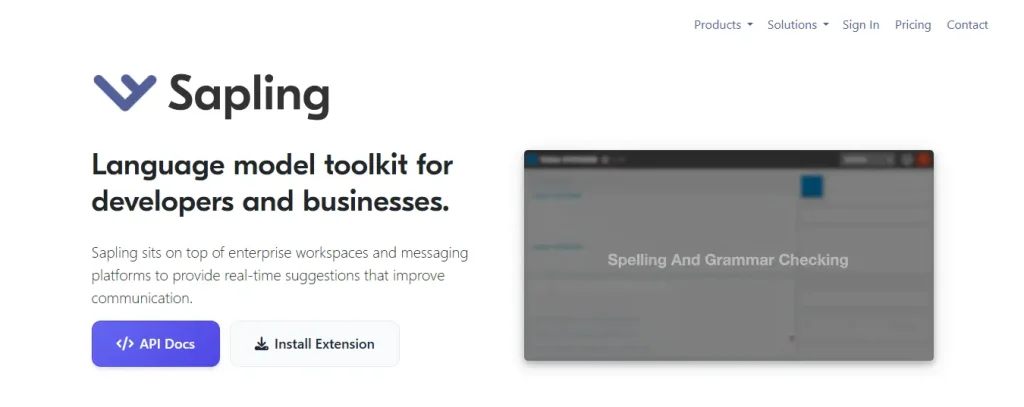
Sapling is another AI-powered writing assistant and communication tool for Google Chrome. It’s designed for business teams, particularly those in customer support, sales, and success roles.
It works beyond general writing tools like Grammarly. It is built to improve both the quality and the speed of professional communication across various platforms like CRMs, help desks, and email.
Key Features:
- Grammar & Spell Check: Unlike other grammar checkers, it catches up to 60% more errors. It focuses on professional tone and clarity.
- Autocomplete Everywhere: Similar to Gmail’s Smart Compose, it predicts the next word or phrase to will type. This functionality works across almost any web application (Slack, Salesforce, Zendesk, etc.).
- Rephrasing: It’s an AI tool that rewrites sentences to make them more formal, concise, or friendly.
- AI Content Detector: This tool checks if a piece of text was likely generated by an AI, such as ChatGPT.
- Snippets (Canned Responses): You can create shortcuts for frequently used phrases, templates, or links.
| Users: 60,000+ |
| Pricing: Free + Premium (starts from $25/mo) |
| Pros: High accuracy, speed, brand integration, and high-level data security |
| Cons: Limited free version and learning curve |
6. QuillBot

QuillBot is another prominent AI-driven writing assistant that integrates directly into your browser. It’s the best choice for users who want to paraphrase text across various websites like Gmail, Google Docs, LinkedIn, and Slack without having to switch tabs.
Key Features:
- Grammar Checker: It automatically detects and fixes typos, punctuation errors, and grammatical mistakes in real-time.
- AI Paraphraser: The core feature of QuillBot that rewrites sentences to improve clarity, change tone, or avoid plagiarism.
- AI Detector & Humanizer: It detects whether the text sounds AI-generated and provides options to make it sound more natural.
- Plagiarism Checker (Premium): A useful feature for content writers to ensure originality.
- Translator: Supports over 45 languages for quick translations.
| Users: 5,000,000+ |
| Pricing: Free + Premium (starts from $19.95/mo) |
| Pros: Seamless integration, user-friendly, affordable, AI tools, and multi-language support |
| Cons: Free limits and plagiarism checker caps |
7. Linguix

Linguix is another competitor to Grammarly and ProWritingAid. It is designed to help users correct grammar, improve style, and speed up their writing process directly within their browser.
Linguix is a perfect choice for business professionals and non-native English speakers.
Key Features:
- Real-Time Grammar & Spell Check: Like other writing assistants, it automatically detects typos, punctuation errors, and complex grammatical mistakes on millions of websites (Gmail, LinkedIn, Google Docs, etc.).
- AI Rewriter: You can highlight sentences or paragraphs to instantly get rephrased versions that are clearer, shorter, or more professional.
- Shortcuts (Snippets): You can create “canned responses” or templates. For example, typing
//introcould instantly expand into a full introductory paragraph. - Multilingual Support: It’s one of the few grammar checkers that supports writing and corrections in several languages, including English, French, German, Spanish, Portuguese, and Polish.
| Users: 30,000+ |
| Pricing: Free + Premium (starts from $15/mo) |
| Pros: Multilingual capabilities, shortcuts, affordable, and privacy-focused |
| Cons: Limited features in the free version and slightly slower |
How To Choose the Right Grammar Checker Extension for Your Needs
As you can see, each grammar checker Chrome extension offers unique features. When selecting a grammar checker Chrome extension, it’s essential to consider your unique requirements and preferences.
Here are some of the key factors to consider:
- Multilingual Support: If you write in multiple languages, choose a grammar checker extension that offers multilingual support.
- Integrations: Most popular grammar checker Chrome extensions seamlessly integrate with writing platforms like Google Docs, Microsoft Word, and Gmail.
- Plagiarism Checker: If you’re a content writer, choose an extension that offers a plagiarism checker.
- Generative AI: Some grammar checkers provide AI tools to write drafts for you or help fix mistakes. If you prefer AI knowledge, choose an extension that provides AI tools.
- Pricing: All of the above grammar checker extensions have a free version with limited features. If you want additional features, you have to purchase a plan. In that case, evaluate the pricing plans and select an extension that fits within your budget.
By considering these factors, you can choose the right grammar checker extension that will help you enhance your writing skills and make your writing error-free.
FAQs
What exactly do grammar checker extensions do?
Grammar checker extensions work silently in the background and scan texts as you type in real-time. They highlight spelling errors, punctuation mistakes, and grammatical slips.
Can grammar checker extensions detect AI-generated content?
Grammar checker extension, like QuillBot, offers an AI detector to check whether the text sounds AI-generated and provides options to make it sound more natural.
Are grammar checkers “keyloggers”?
Technically, grammar checkers have permission to “read and change all your data on the websites you visit” so they can check your text. However, reputable companies like Grammarly or LanguageTool are not keyloggers—they are encrypted services.
Final Thoughts
Grammar checker Chrome extensions are valuable tools for students, professionals, or just someone who wants to improve their writing skills. These tools ensure your content is error-free.
As you can see, there are many well-known grammar checker extensions to choose from. You can find the perfect solution tailored to your specific needs.
What do you think about grammar checker Chrome extensions? Let me know in the comments.
Recommended Articles: